• Mail
  • Files
  • Contacts
  • Calendar
  • Games
  • Advertising
ID Indonesian
  • English
  • Latviešu
  • Русский
  • বাংলা
  • ਪੰਜਾਬੀ
  • Español
  • Lietuvių
  • Eesti
  • Français
  • Deutsch
  • عربي
  1. Halaman awal
  2. Apple aplikācija

%MESSAGE%
Kā iziet no ios aplikācijas

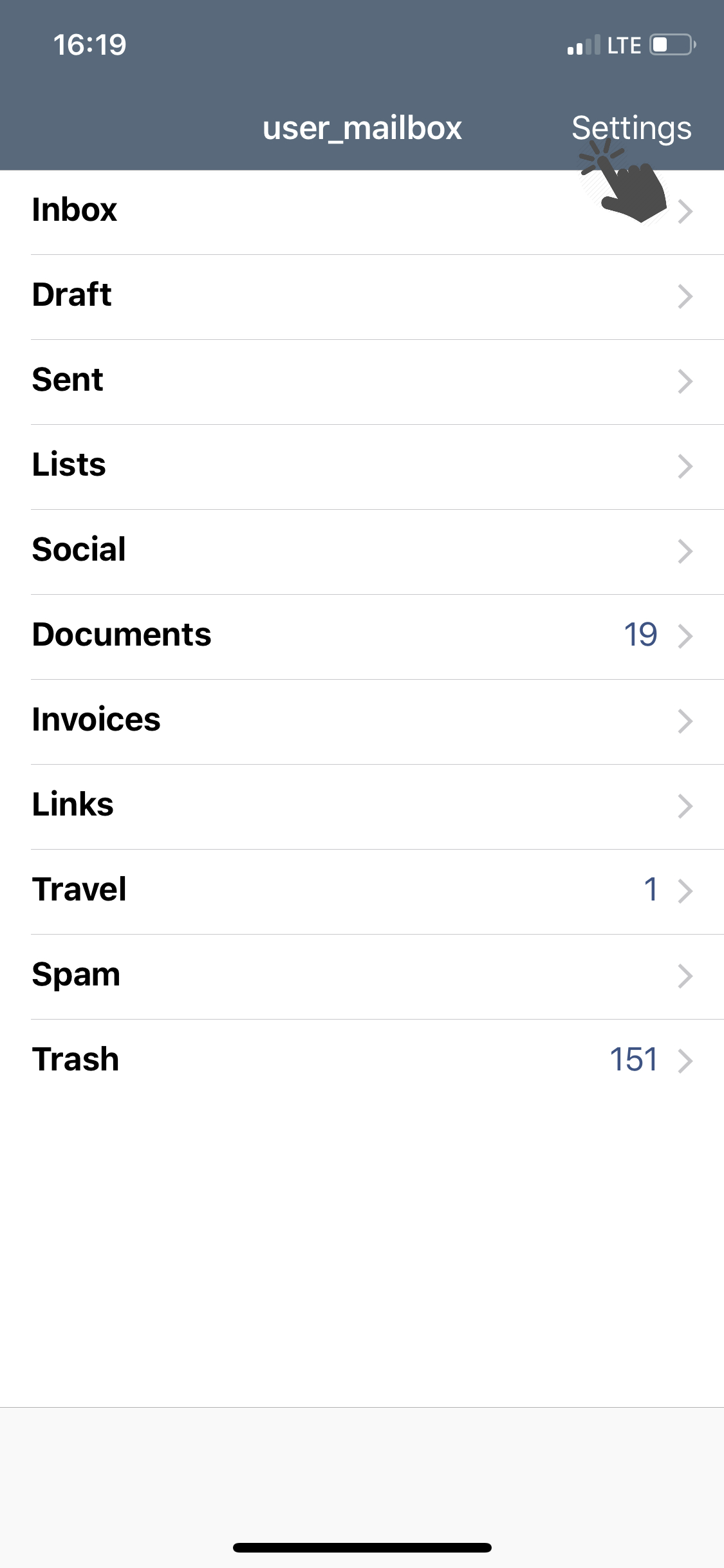
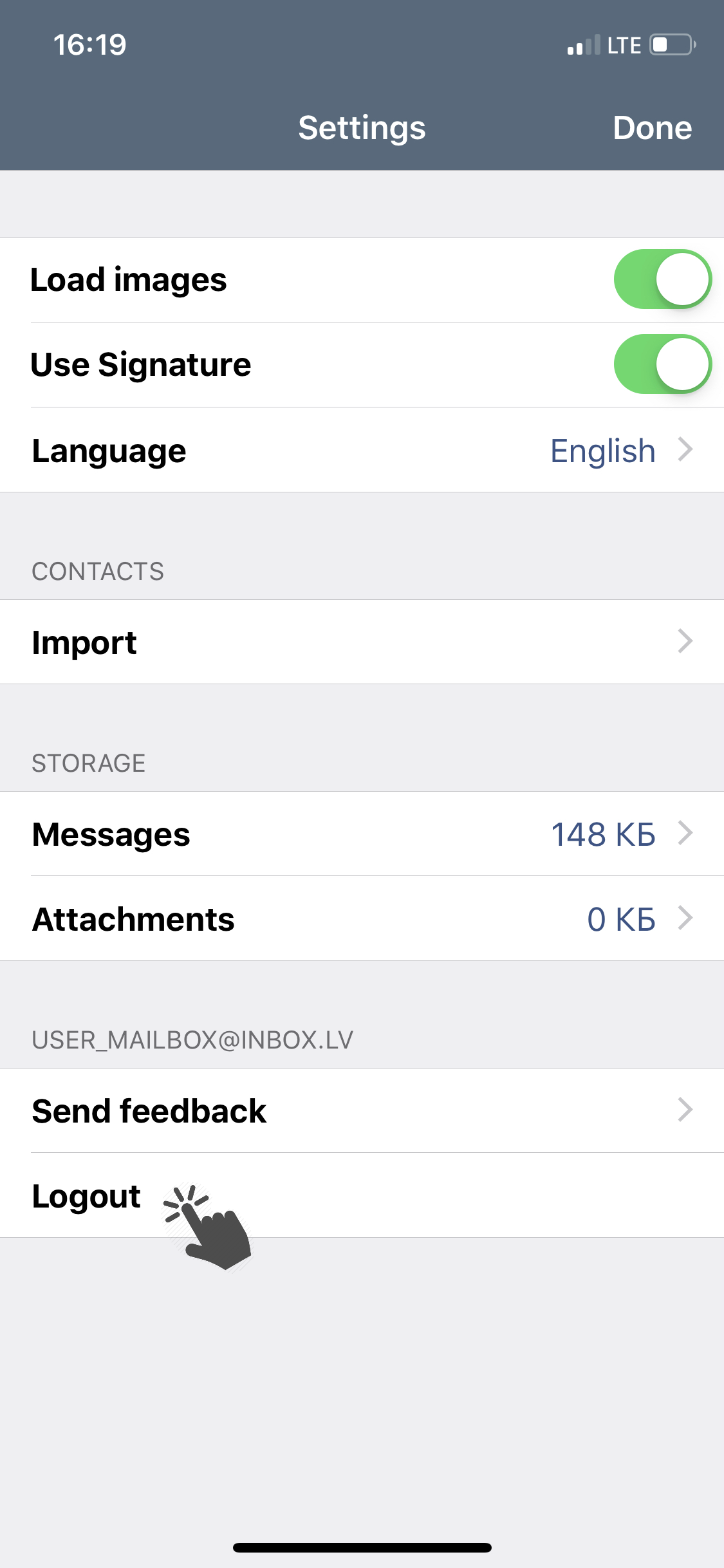
To logout from the application:

  • Go to the app settings (above the list of all folders, press Settings);
 

881a152a03dcc3780a83b9b92e1b64-1683542488-base.png     ea5c10c71c320bea217bf7097e4243-1683542502-base.png


  • Tap Logout.


191f0c500963675c9a4ad4ef0d560f-1683542502-base.png


Jika anda tidak menemukan jawaban anda, hubungi kami
Pertanyaan

Synchronize and import contacts
How to update application
How to open application settings
Kā iziet no iOS aplikācijas
Notifications about new messages (how to disable/enable)
How to change the application language
How to clear cache
Kā instalēt mobilo aplikāciju
Daftar Masuk

  • Mail
  • Files
  • Contacts
  • Calendar
  • Games

  • Contacts
  • Support
  • Advertising
  • Privacy
  • Terms of Service

Download our app